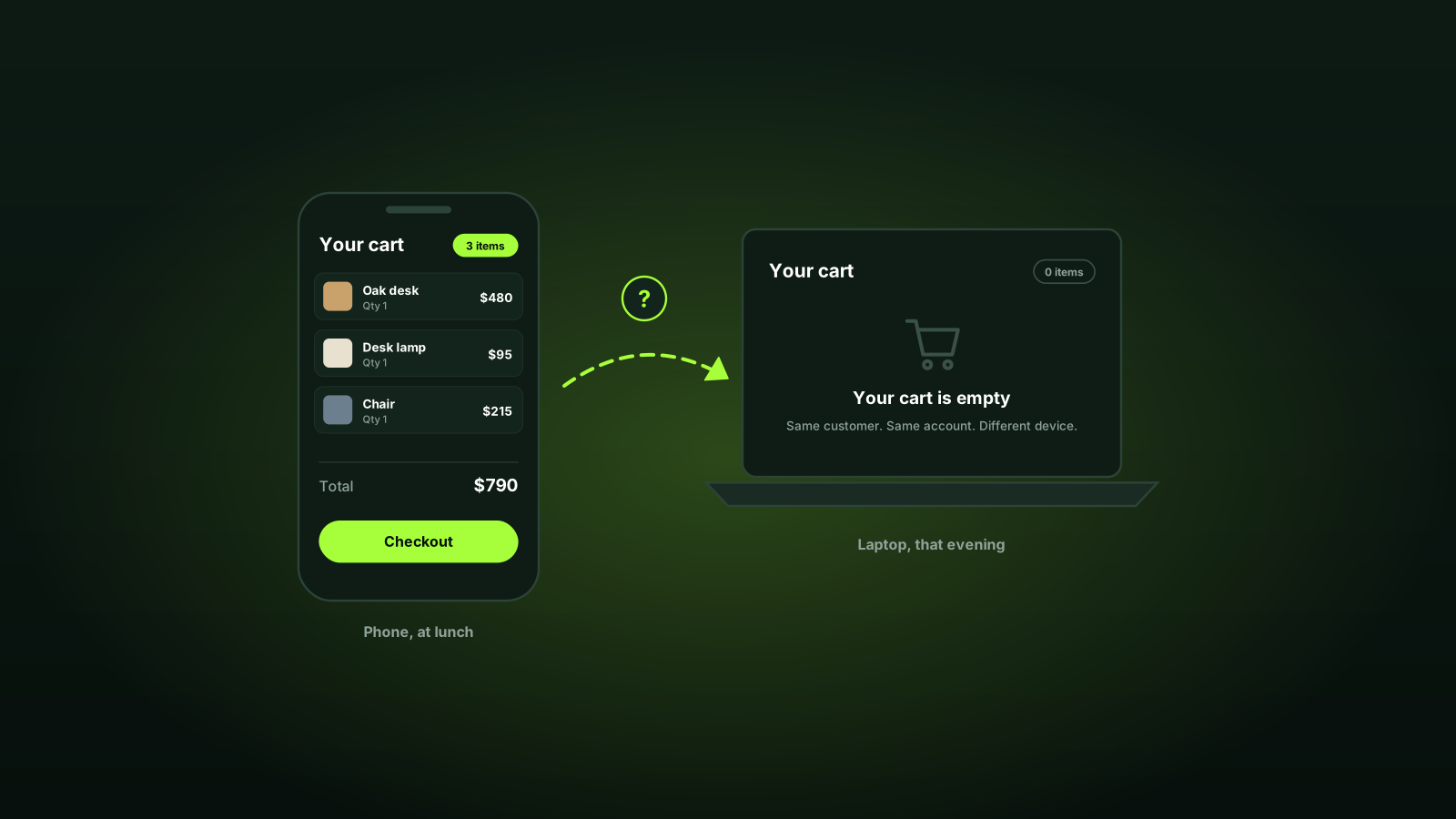
A customer browses your store on their phone during lunch. They log in, add three products to their cart, and get interrupted. That evening, they open your store on their laptop, log in with the same account, and the cart is empty.
Nothing is broken. Unless the customer uses Shop, this is how Shopify carts work, and on stores where people take their time to buy, it quietly costs sales every day.
Here is why it happens, who it hurts the most, and how to fix it.
The cart lives in the browser, not in the customer account
On a Shopify store, the cart is tied to a cookie in the customer's browser. The customer account stores orders, addresses and profile details, but not the cart in progress.
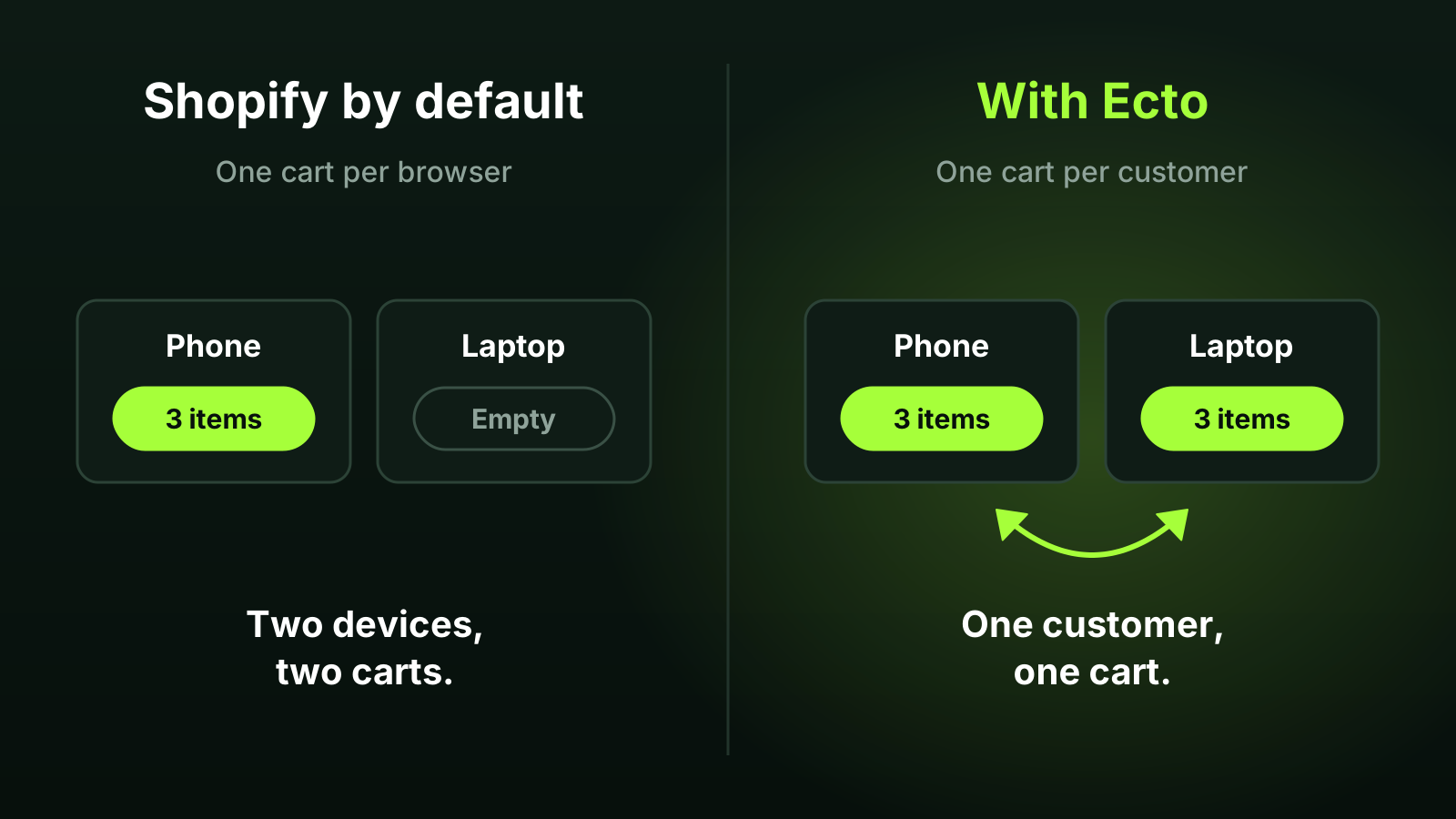
So the cart belongs to the device and the browser, not to the person. Logging in doesn't change that, unless the customer also uses Shop (more on that below). The same customer on two devices ends up with two separate carts: the one they built on their phone, and an empty one (or an old one) on their laptop.
Switching browsers on the same computer, using private browsing or clearing cookies has the same effect.
"Shopify saves carts for logged-in customers." Only through Shop
Since October 2026, Shopify syncs carts across devices through Shop. It's on by default, but only for shoppers who have a Shop account. A customer who logs in to your store without one still gets one cart per browser.
So encouraging account creation isn't enough on its own.
You can check it on your own store in two minutes, with an email that has no Shop account:
- Log in to a customer account on your phone and add a product to the cart.
- Log in to the same account on your computer.
- Open the cart. It doesn't have the product.
Who loses the most
B2B and wholesale buyers. Large carts built over several sessions, often between an office computer and a phone.
High-value purchases. Furniture, equipment, anything people research before they buy.
Shoppers who browse on mobile and buy on desktop. A very common journey: discover on the phone, check out on a bigger screen.
When a long cart disappears, most people don't rebuild it from memory. Some do. Many just leave.
The usual workarounds, and where they fall short
Wishlists. The customer has to think of saving items, and a wishlist isn't a cart.
Recovery emails. They need the customer's email and consent, and they arrive after the fact. They don't help someone who is already on your store, logged in, looking at an empty cart.
Shareable cart links. Useful for support, but someone has to create and send them. Not a fix for everyday shopping.
Asking customers to stick to one device. Not realistic.
The fix: save the cart against the customer account
What customers expect is simple: log in anywhere, find the cart. To get there, the cart has to be saved against the customer, not the browser, and brought back when they log in on another device.
That's what Ecto does:
- It saves the cart of every logged-in customer and restores it on their next device or browser.
- There's no popup and no restore button. The cart is just there.
- Carts stay saved for 90 days after their last change.
- The most recent cart always wins. Ecto never merges two carts, so customers find the cart they last worked on.
- Setup takes three clicks, with no code and no theme edits.
- For B2B, you can turn a saved cart into a draft order in one click and send it for payment.
Ecto works for logged-in customers: it needs to know whose cart it is. Guest carts stay in the browser, as usual.
Try it on our live demo store, or start your free trial from the Shopify App Store.
FAQ
Does Shopify sync carts across devices by default?
Only for Shop users. Since October 2026, Shopify syncs carts through Shop for shoppers who have a Shop account. Without one, each device keeps its own cart, even when the customer is logged in.
Does cart sync work for guest visitors?
Usually not. Without a login, there's no way to know that two devices belong to the same person. The exception is Shop, which can recognize shoppers who signed in with Shop in an earlier session.
Does Ecto merge carts from different devices?
No. The most recent cart always wins.