Shopify renamed direct checkout to agentic checkout and brought it to ChatGPT. It now runs on four AI channels: ChatGPT, Google AI Mode and Gemini, Meta AI and Muse, and Microsoft Copilot. Shoppers can buy your products without visiting your store, sometimes with an AI agent completing the checkout for them. The order lands in your Shopify admin like any other.
It's on by default for eligible stores. Here's what it is, where it runs, and when and how to turn it off.
Last checked on November 24, 2026, against Shopify's help center and admin. These channels change fast, so your admin may look slightly different.
What is Shopify agentic checkout?
Agentic checkout lets shoppers buy your products without leaving the AI app. They pay in a Shopify-powered checkout inside the conversation, or the AI agent completes the checkout for them using Shopify's agent tools. You stay the seller of record: the order is yours to fulfill, and returns and customer service stay with you.
It's part of Agentic Storefronts, which connects your products to AI apps through the Shopify Catalog. Shopify used to call it direct checkout, and your admin may still show that name.
Which AI channels have agentic checkout?
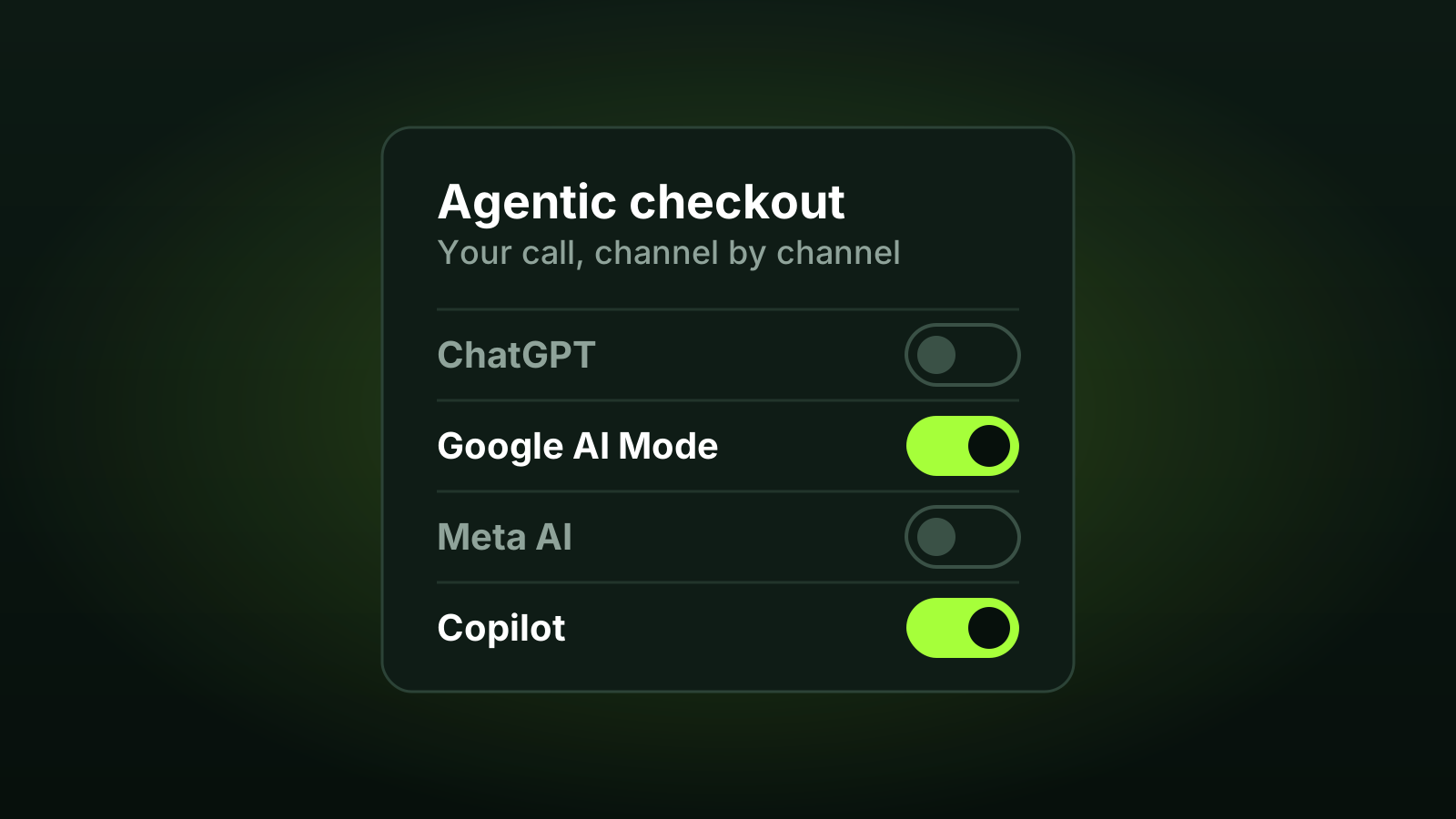
Four channels in your Shopify admin have an agentic checkout switch: ChatGPT, Google AI Mode and Gemini, Meta AI and Muse, and Microsoft Copilot. Other AI apps, like Perplexity, sit under Other channels. They can show your products, but they have no checkout switch.
On every channel, your products must be eligible for the Shopify Catalog and you need to accept the Agentic Storefronts supplemental terms. Your terms of service, privacy policy and return and refund policy must be filled in too. Products sold only through B2B aren't supported anywhere. Google AI Mode and Gemini also needs a Google Merchant Center account with your products in it, for example through the Google & YouTube channel.
Is agentic checkout available in your country?
What counts is where your shoppers are, not where your store is based. A store in France that sells to US customers can use agentic checkout for those customers.
Here's where shoppers can use it:
- United States: ChatGPT, Google AI Mode and Gemini, Meta AI and Muse, Microsoft Copilot.
- Canada: Google AI Mode and Gemini (rolling out), Meta AI and Muse.
- Australia: Google AI Mode and Gemini (rolling out), Meta AI and Muse.
- United Kingdom: Meta AI and Muse.
- Japan, Mexico, Brazil, India, South Korea, Singapore and New Zealand: Meta AI and Muse.
- France, Germany and the rest of the EU: not available yet on Google, Meta or Copilot.
For ChatGPT, Shopify only says your store must sell to customers in the US. It doesn't list the countries where shoppers see agentic checkout.
When should you turn off agentic checkout?
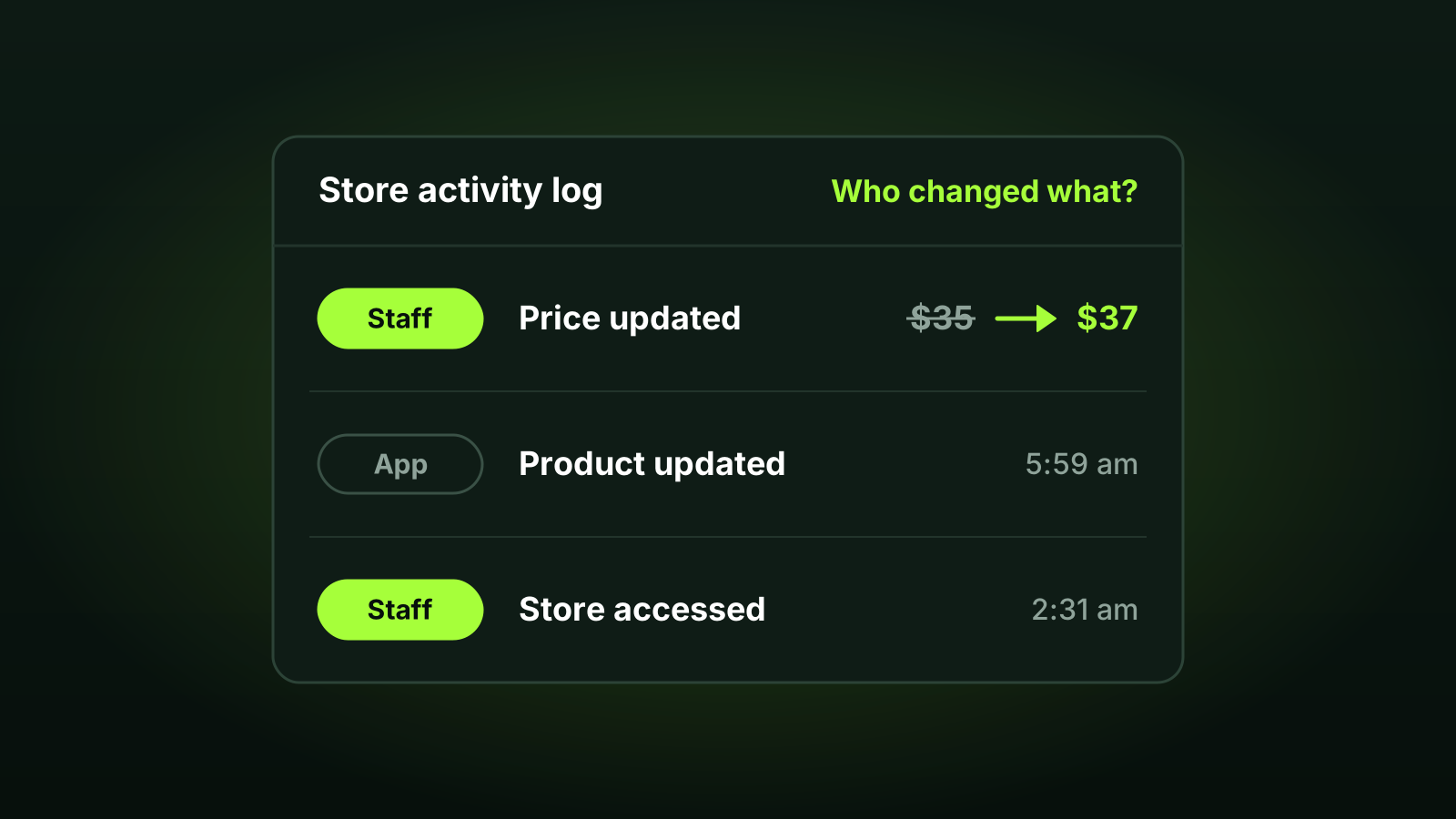
When a shopper buys through an AI app, the purchase skips your store's pages and goes straight to checkout. Rules that only live in your theme, like a minimum quantity enforced on the cart page or a gift note field, don't apply.
The checkout itself does less, too. For Google AI Mode and Gemini, Meta AI and Muse, and Microsoft Copilot, Shopify lists these limits:
- Most checkout blocks won't load: custom fields, upsells, loyalty, consent collection, address autocomplete, client-side validation.
- Local delivery, pickup in store and pickup points aren't available.
- You can't require customers to sign in before checkout.
- Products sold only as subscriptions, bundles and customizable products are excluded.
- Google Analytics and custom pixels don't fire. Only server-side pixels record the checkout.
What still works: Shopify Functions for shipping, discounts and cart and checkout validation, plus automatic discounts and discount codes. Shopify's ChatGPT help page doesn't list these limits yet.
So if your store relies on a sign-in requirement, pickup or local delivery, custom checkout fields or business rules in your theme, turn agentic checkout off. Shoppers then finish on your online store, with your own checkout.
One store we work with turned it off on every channel. Its pre-orders run on attributes added in the theme, and it sells custom packs with their own rules. Some of those products might not even be eligible, but switching it off removed any doubt.
How to turn off agentic checkout (direct checkout) in Shopify
Each AI channel has its own switch, so you can turn it off everywhere or on a single channel.
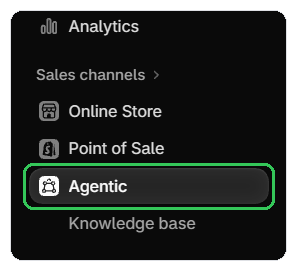
- In your Shopify admin, open Sales channels > Agentic.
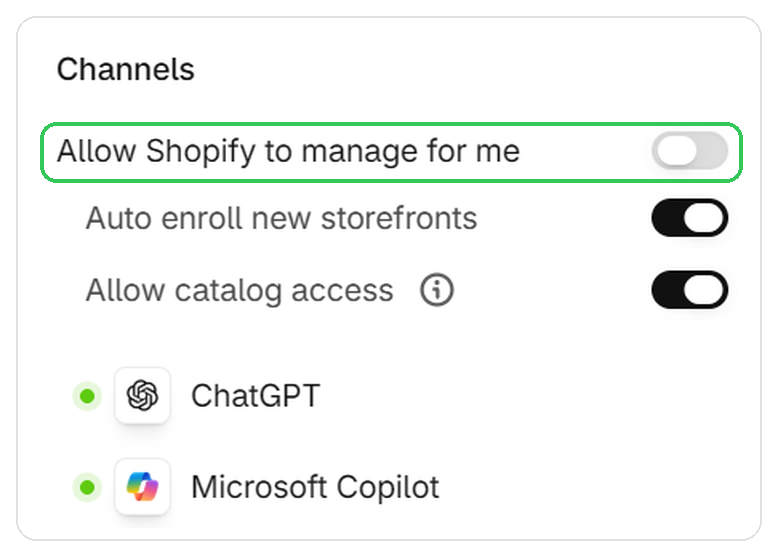
- In the Channels section, turn off Allow Shopify to manage for me. Two settings appear: Auto enroll new storefronts and Allow catalog access.
- Click a channel: ChatGPT, Google AI Mode and Gemini, Meta AI and Muse or Microsoft Copilot.
- Turn off Direct checkout. Depending on your admin, it may read Agentic checkout.
- Click Save, then repeat for the other channels.
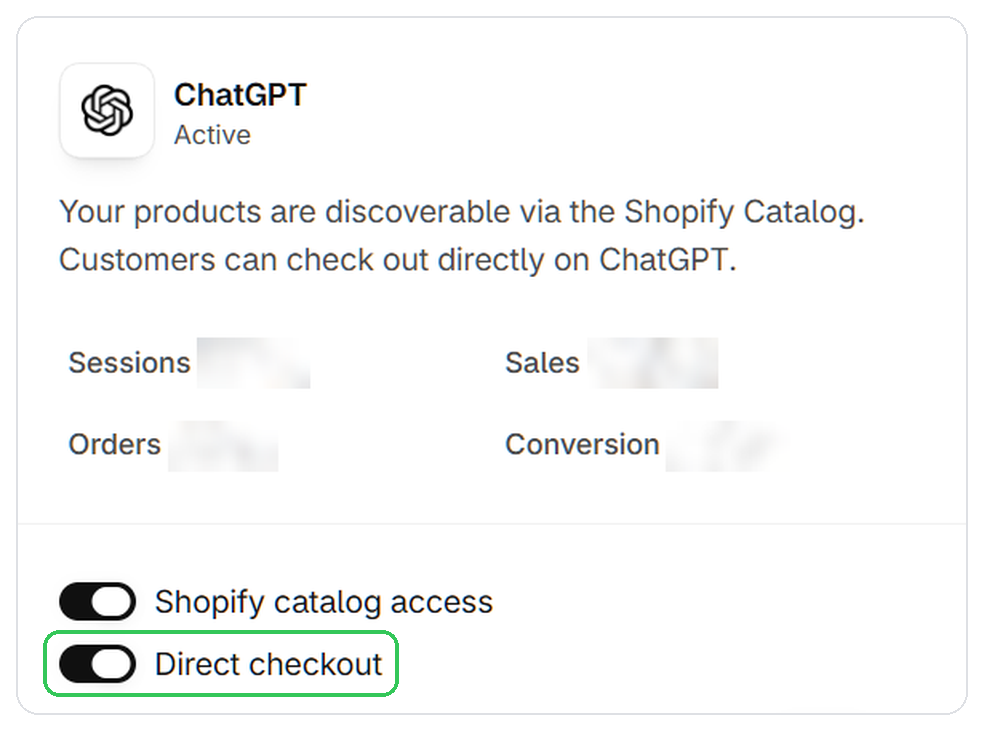
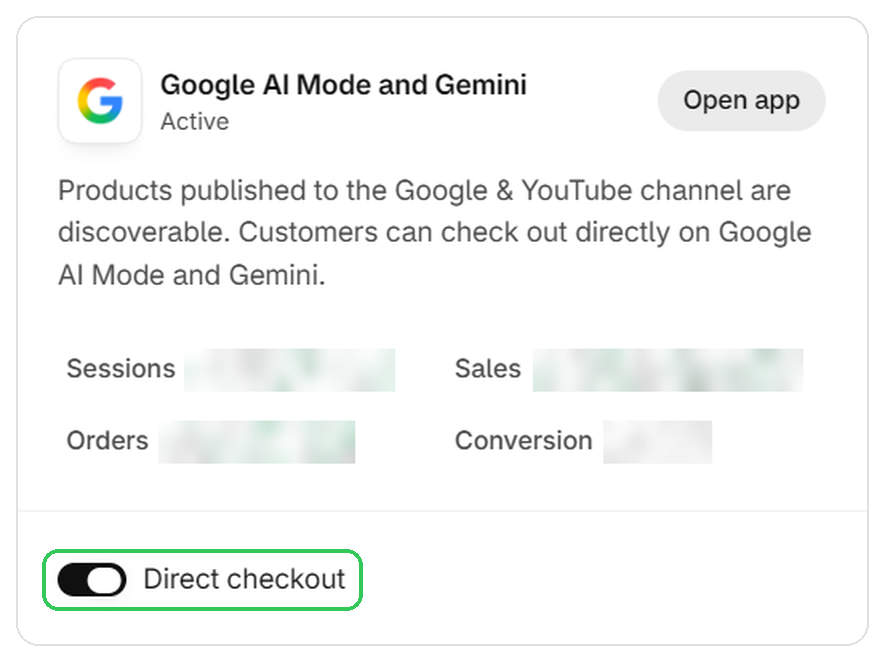
Two things to know. ChatGPT only lets you change this setting while Shopify catalog access is on. Google AI Mode and Gemini has no catalog switch: it finds your products through the Google & YouTube channel and Merchant Center.
To keep new AI channels from starting with agentic checkout on, turn off Auto enroll new storefronts as well.
What happens when it's off?
- Your products stay visible in each AI app. Shoppers who want to buy are sent to your online store.
- Purchases made with Shop aren't affected. Shop has its own settings in the Shop sales channel.
- Your fees don't change. Shopify charges no extra fee for agentic checkout, on or off.
To hide your products from ChatGPT, Meta AI and Muse or Microsoft Copilot completely, turn off Shopify catalog access on that channel's card. Shopify says this can take up to 7 days, and your products can still show up through web crawling.
What agentic checkout doesn't cover
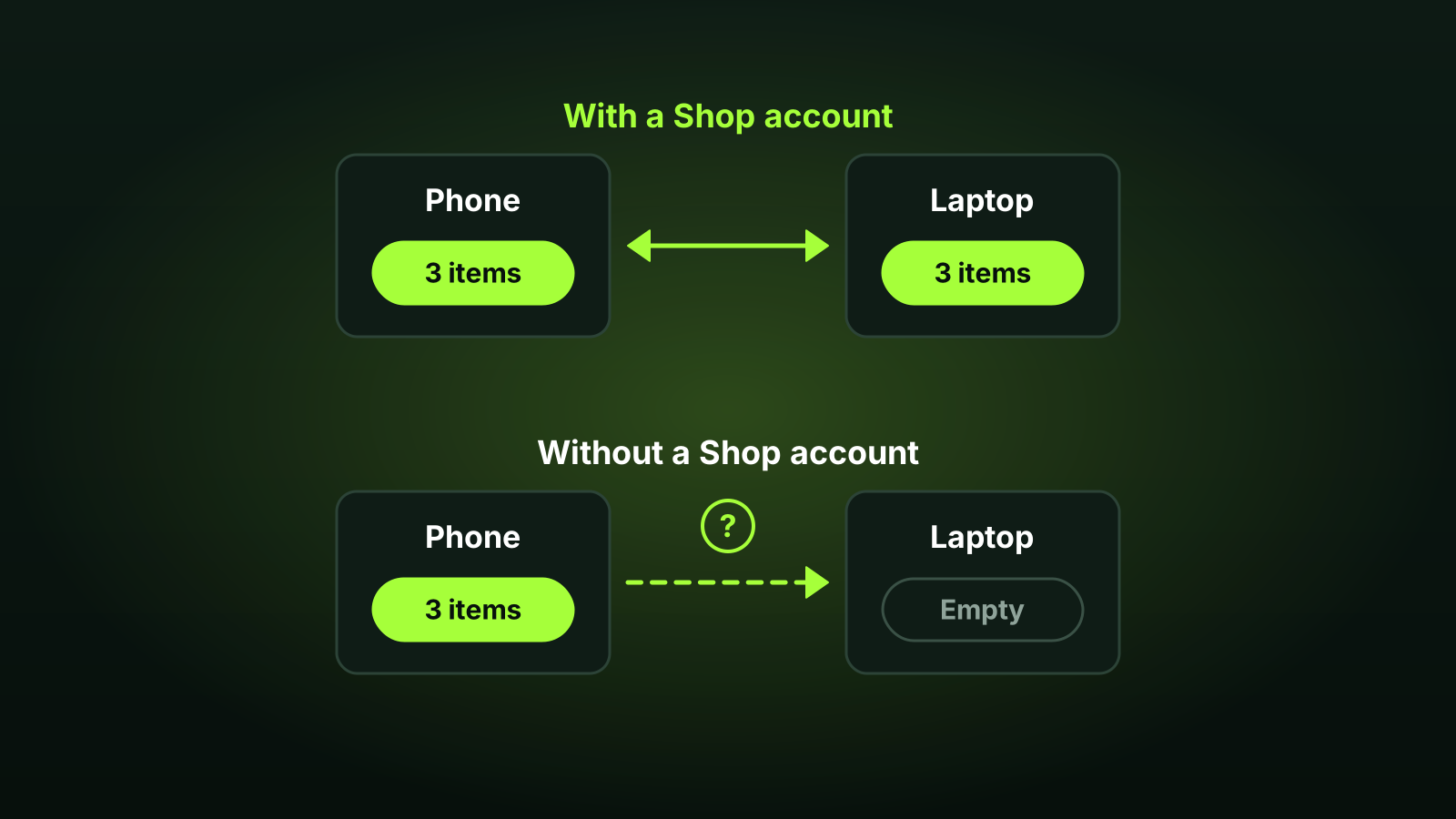
Plenty of buying still happens on your store: B2B orders, pickup orders, and shoppers who browse on one device and buy on another. That last group is where carts get lost: by default, a cart started on a phone isn't there on the laptop, unless the shopper has a Shop account.
If your customers sign in, Ecto saves their cart and restores it on every device they sign in to. No popup, no theme code, 3-click setup.
Try it on our demo store, or start a free trial on the Shopify App Store.
FAQ
How do I turn off agentic checkout in Shopify?
Go to Sales channels > Agentic, turn off Allow Shopify to manage for me, click the AI channel (ChatGPT, for example), turn off Direct checkout and click Save. Repeat for each channel you want to turn off.
How do I turn on agentic checkout in Shopify?
It's on by default for eligible stores. If you turned it off, switch Allow Shopify to manage for me back on, which reactivates every agentic setting. Or open a single channel, turn Direct checkout back on and click Save.
Is agentic checkout the same as direct checkout?
Yes. Direct checkout is the former name. Shopify renamed it agentic checkout across its AI channels, and your admin may still show Direct checkout.
Can I turn off direct checkout for one AI channel only?
Yes. Once Allow Shopify to manage for me is off, ChatGPT, Google AI Mode and Gemini, Meta AI and Muse and Microsoft Copilot each have their own switch.
Does agentic checkout cost extra?
No. Shopify lists no extra fee on any of these channels. You only pay your usual payment processing fees.
Is Shopify agentic checkout available outside the US?
Yes, in some countries. Google AI Mode and Gemini is rolling out in Canada and Australia, and Meta AI and Muse covers 11 countries, including the UK and Japan. Shoppers in France, Germany and the rest of the EU can't use it yet on Google, Meta or Copilot.
Which products can't be bought through agentic checkout?
Products sold only through B2B, on every channel. On Google AI Mode and Gemini, Meta AI and Muse and Microsoft Copilot, products sold only as subscriptions, bundles and customizable products are excluded too.