Most Shopify themes don't include a "Clear cart" button. A customer who wants to start over has to remove products one by one. With three items, that's fine. With a 40-line wholesale order, it's a chore.
The good news: Shopify already has a built-in way to empty a cart, and the AI in your theme editor can turn it into a button in a few minutes. No developer, no code.
What "clear cart" does on Shopify
Every Shopify theme can use a built-in address that empties the cart: /cart/clear. It sets every product in the cart to zero in one go.
Two things stay: the cart note and the cart attributes (extra fields some themes and apps add, like a PO number or a gift message). For most stores this doesn't matter. If you use them, keep in mind that an emptied cart can still carry the old note. Shopify's Cart API documentation covers the details.
Who needs a clear cart button
- Wholesale and B2B buyers who build large orders and want to restart from a clean list.
- Sales reps who prepare carts for their clients and need a reset between two orders.
- In-store tablets and trade show kiosks, where every new visitor should start with an empty cart.
- Customers who filled a cart "just to see the total" and now want to start fresh.
If your average cart holds two products, you probably don't need one. If your customers order by the dozen, it saves real clicks.
Add a clear cart button with Sidekick in the theme editor
On recent Shopify themes such as Horizon, the AI built into the theme editor (Shopify's Sidekick) can write a custom block for you from a plain sentence.
Step 1. Go to Online Store, then Themes, and duplicate your live theme. Work on the copy.
Step 2. Click Customize and open the Cart page template.
Step 3. In the Cart section, click Add block, then Generate.
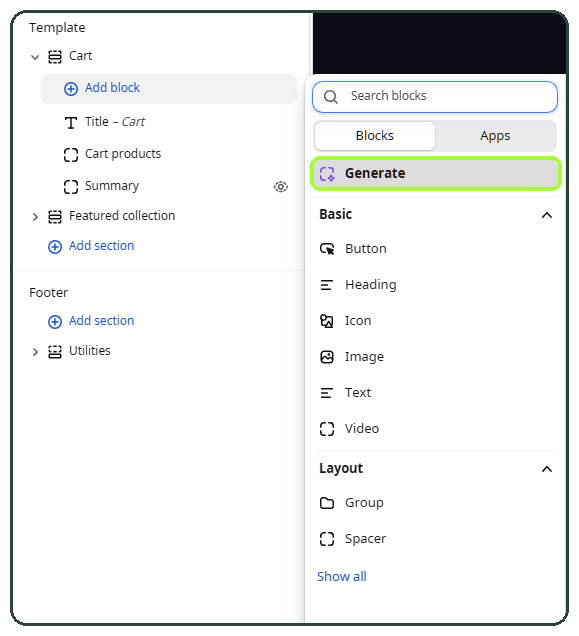
Step 4. Paste this prompt:
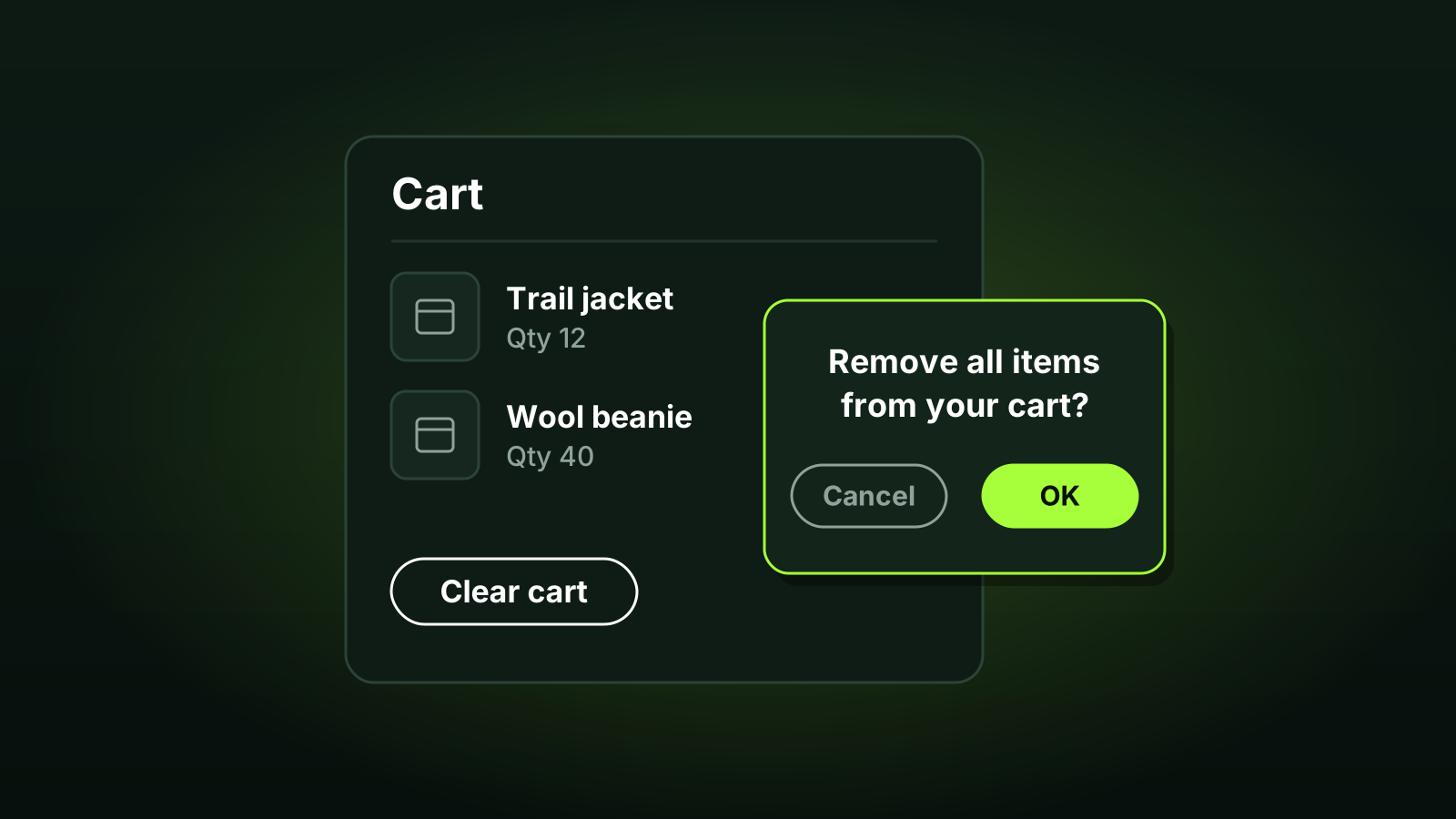
Add a "Clear cart" button on my cart page that removes all products from the cart in one click. Ask the customer to confirm before the cart is emptied. Only show the button when the cart has products. Make it look secondary so it can't be confused with the checkout button: outline style, not full width, with some space above it.
Step 5. Wait a few seconds. In our test, the editor also created settings for the block, so the button text and the confirmation message could be changed without touching any code.
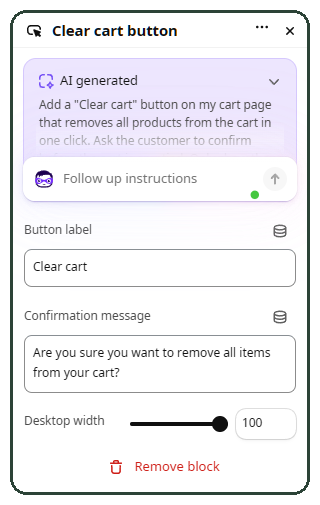
Step 6. Test it in the preview: add a product, click the button, confirm, and check that the cart is empty. Then publish your copy.
On Horizon, the button doesn't show in the slide-out cart drawer. It lives on the cart page.
Describe the look in your prompt
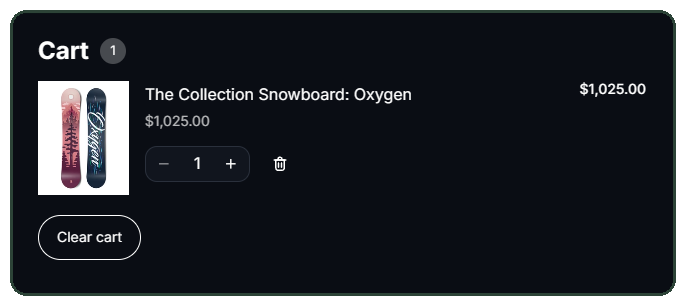
A button that empties the cart shouldn't look like your checkout button, or some customers will click it by mistake. That's why the prompt asks for an outline style, a normal width and some space above it.
Results vary from one store, and one try, to the next. If the first version isn't right, type a correction in the Follow up instructions field, like "make the button smaller and align it to the right".
Here's what we got on our demo store:
No "Generate" option? Ask Sidekick
If your theme doesn't offer Generate when you add a block, open Sidekick and paste the same prompt. Depending on your theme, it builds the block for you or walks you through the steps. Either way, test on a copy of your theme first.
What happens on your customer's other devices
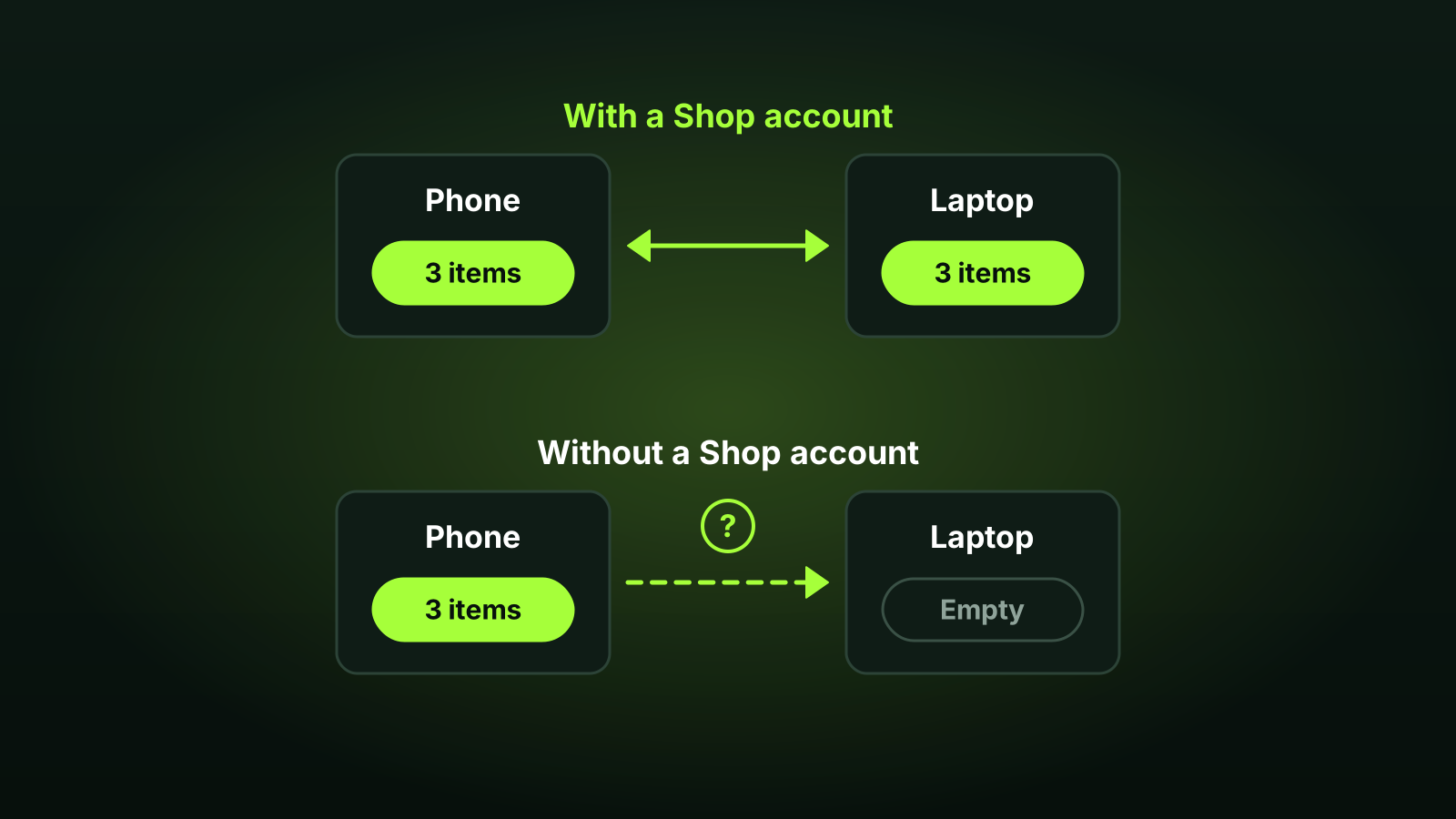
A Shopify cart lives in the browser where it was built. Shopify now syncs carts through Shop for customers who have a Shop account, but for everyone else, the phone and the laptop each keep their own cart. Clearing one doesn't touch the other.
That's not what a signed-in customer expects. They empty their cart on the laptop, open your store on their phone the next day, and old products may still be there.
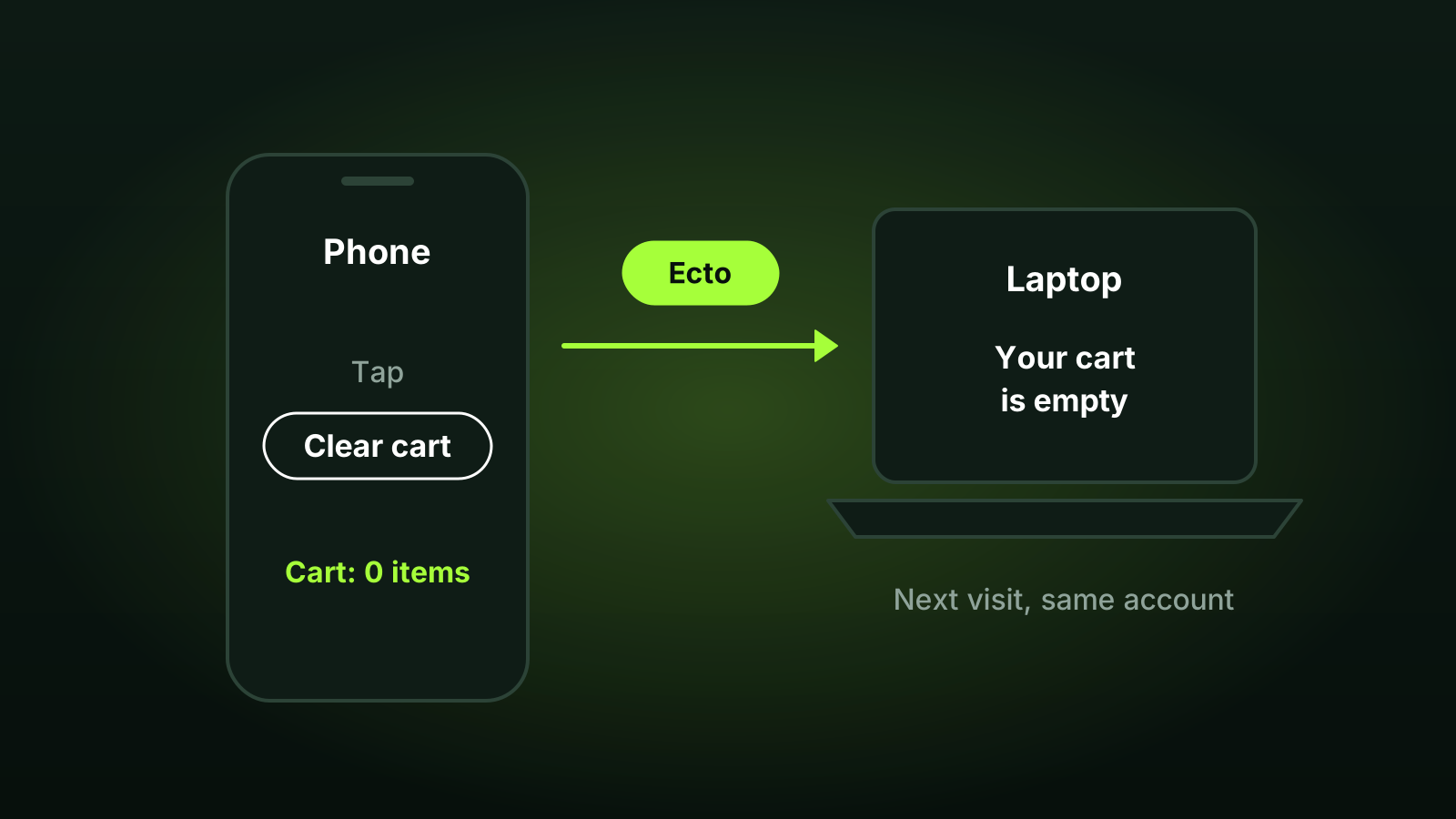
With Ecto, the cart of every signed-in customer is saved and restored on their other devices. An emptied cart is saved like any other change, so your clear cart button works everywhere the customer signs in.
Want to see it in action? Try the demo store, or start your free trial on the Shopify App Store.
FAQ
Does clearing the cart remove the cart note?
No. /cart/clear removes every product but keeps the cart note and the cart attributes.
Can I add the clear cart button to the cart drawer?
On Horizon, the generated block lives on the cart page. Adding the button to the drawer needs a change in your theme code, so ask Sidekick or a developer.
Does clearing the cart on one device clear it on the others?
Not by default, because a Shopify cart is tied to the browser. A cart sync app like Ecto saves the emptied cart for signed-in customers (unless you turned on its option to ignore empty carts), so it's empty on every device they use.